iOS & Android

Wait for it.
Then bingeall of it.

Countdown2Binge tracks every season you follow through its entire life — and tells you the exact day it's fully released, so you can watch it start to finish.

0
Days to binge
0
Seasons tracked
1
Alert that matters
4
The Last of Us S2
Binge ready in 4 days
Season complete
All 10 episodes out
01
The timeline

Every season,
one screen.

Your whole watchlist on a single living timeline, sorted by the only number that matters: days until a season is fully released.

  • Now Airing sits on top as a card stack — closest to bingeable first.
  • Premiering Soon counts down to each locked release date.
  • Pending flags shows airing without an announced finale.
  • Anticipated holds renewed shows that have no date yet.
Full timeline
02
The lifecycle

It moves
on its own.

A date gets announced, a season premieres, a finale airs — shows climb the timeline automatically and cycle back to Anticipated when the next season is confirmed. You never touch a thing.

  • Anticipated Premiering Soon the moment a date drops.
  • Premiering Soon Now Airing on premiere day.
  • Now Airing Binge Ready when the finale lands.
Premiering Soon, Pending and Anticipated sections
Now Airing card stack
03
Show detail

Know the day
it's bingeable.

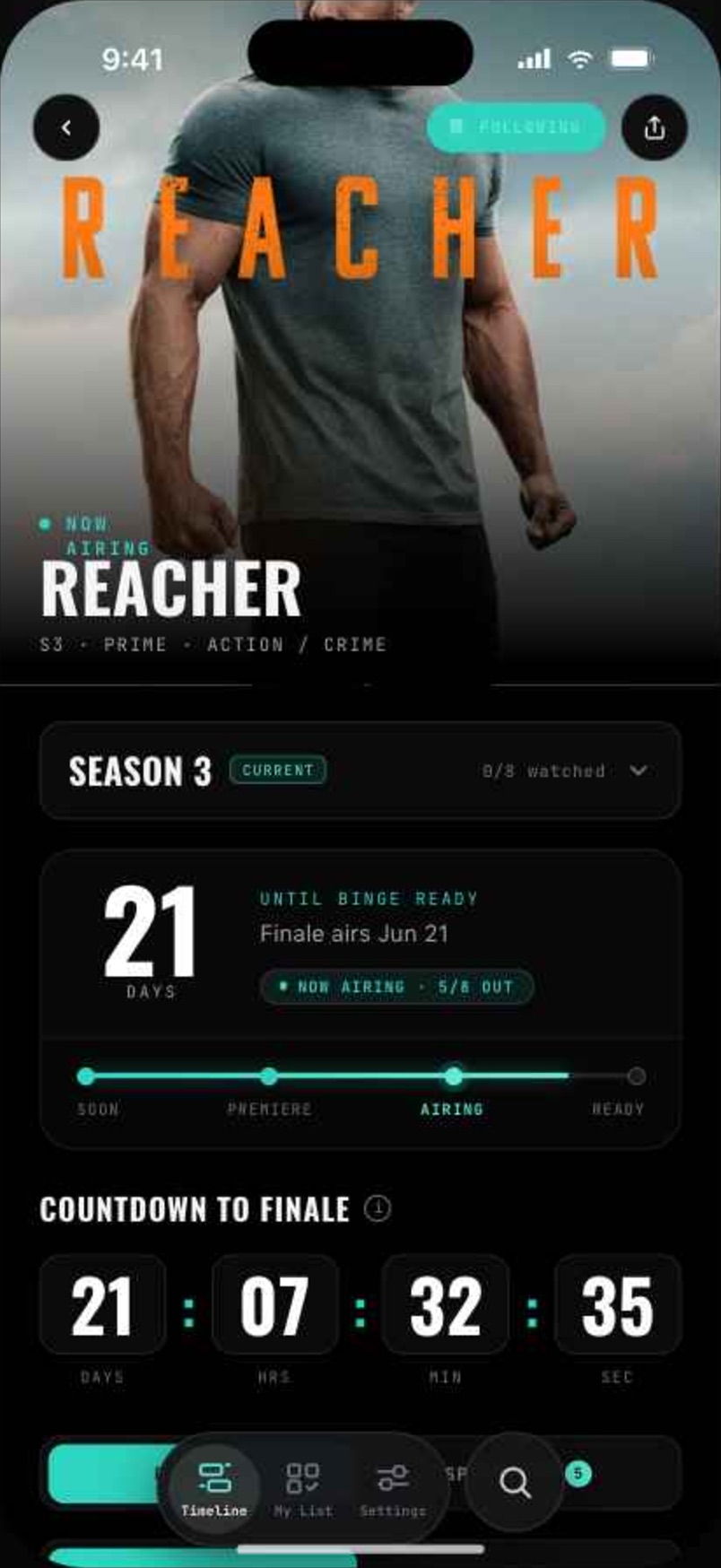
Open any show for a release calendar of every episode — aired, airing, and locked. Plan a rewatch to land exactly on the new season's finale.

  • Episode calendar with locked future dates.
  • Season switcher across every season you follow.
  • Binge plan tells you when to start to finish on time.
  • Spin-off timelines in recommended watch order.
Show detail
04
My list

Ready, ended,
archived.

Every show you follow in one grid, split by where it stands. Completed seasons get a stamp; finished shows fade to black and white.

  • Active — ready to watch, counting down, or no date yet.
  • Ended — shows no longer in production.
  • Archived — everything you've already finished.
My list
06
Notifications

One ping.
Perfect timing.

No weekly noise. Get told the day a season is fully out — or set your own timing for premieres, finales, and comebacks.

  • Binge-ready alerts the day the full season lands.
  • Custom timing — premiere day, finale week, or days ahead.
  • Comeback alerts when a show is renewed or dated.
Notification settings
07
Profile & sync

New phone,
same lineup.

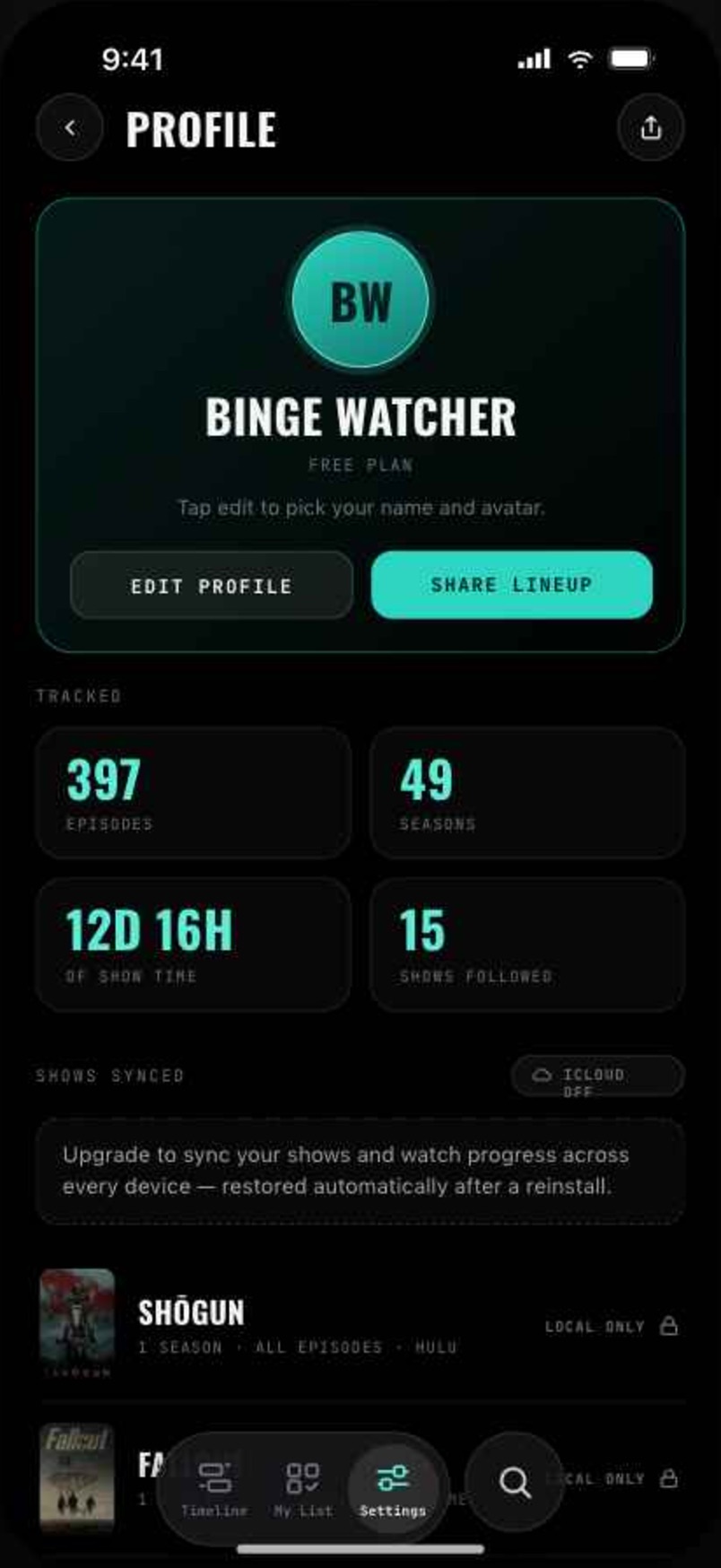
Every show, season, and checked-off episode saves to your iCloud — synced across iPhone, iPad, and Mac, and restored automatically after a reinstall.

  • iCloud sync across every device you own.
  • Watch stats and streaks for everything you've finished.
  • Share your lineup as a poster card.
  • 15 languages, with full right-to-left support.
Profile and sync
Pricing

Free to start.
Unlimited when you're hooked.

Free
$0
  • Follow up to 3 shows
  • The full living timeline
  • Binge-ready alerts
  • Episode tracking
Monthly
$1.49 /mo
  • Unlimited shows
  • Custom & comeback notifications
  • Spin-off universes
  • iCloud sync across devices
  • 15 languages, RTL ready
Save 44%
Yearly · 7-day trial
$9.99 /yr
  • Everything in Monthly
  • Works out to $0.83 / mo
  • 7 days free, cancel anytime
  • Best for most people
One time
Lifetime
$29.99 once
  • Everything in Yearly
  • Pay once, keep forever
  • All future features included
  • No subscription to manage

Never binge
too earlyagain.

Free on iOS and Android. Your whole watchlist, finally on your schedule.

Coming soon to the App Store!